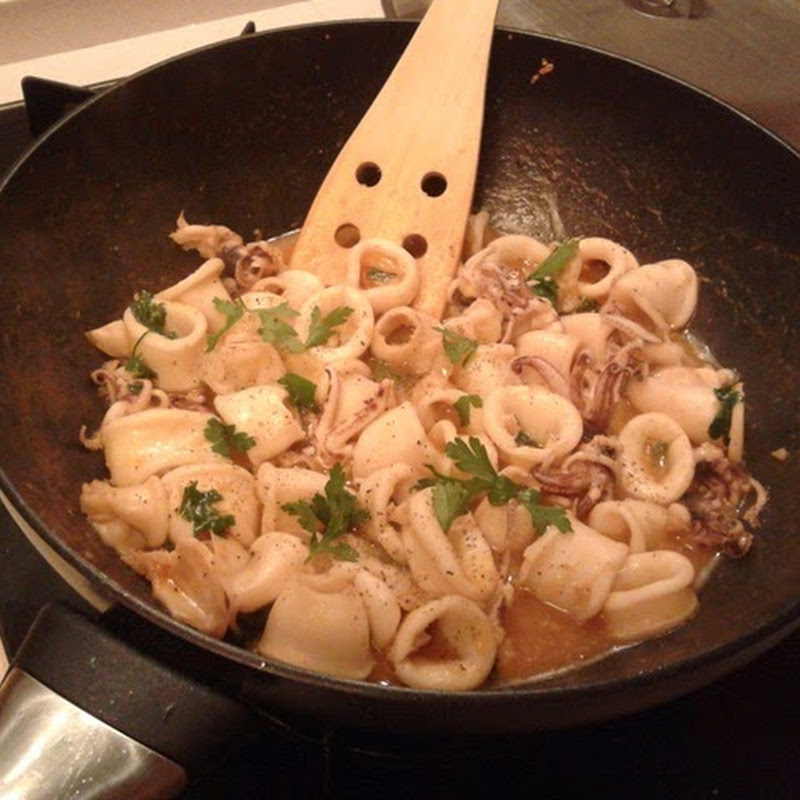
And this is it how it really looks like….
Saturday, October 17, 2009
Wednesday, October 14, 2009
CakePHP - How to dynamically load validation rules.
Many times we need to use one model in many forms or one form but the validation rules depend on some conditions. This is not only the case we have a form to add some information and a form to edit this information (then we can use on create and on update).
For example we have one User model and two different forms to add a user. For During the registration a user can subscribe for a basic account and for an extended account. For the basic account is enough that the user will input just the username and password into the form. For extended account the user is obligated to give also his personal data. To distinguish between these requests there is a checkbox (isextended) that the user can select if he wants to subscribe for extended account.
The problem appears while validating this form. How to indicate that the personal data is required in case the user is subscribing for extended account…? If we mark these fields as required in the model (var $validate) the validation rules will apply also if the user subscribe only for basic account. Consequently if the user subscribe for basic account the form will not validate.
Well, the solution for the problem is very simply.
In model to the var $validate table we add only rules for fields that must validate always.
var $validate = array(
'username' => array(
'between' => array(
'rule' => array('between', 6, 20),
'required' => true,
),
),
'password' => array(
'empty' => array(
'rule' => 'notEmpty',
'required' => true,
),
),
);
Then we create another table with the same structure for example: $validate_extended with rules that must validate on some conditions.
var $validate_extended =array(
'name' => array(
'maxLength' => array(
'rule' => array('maxLength', 128),
'required'=>true,
),
),
'address' => array(
'empty' => array(
'rule' => 'notEmpty',
'required' => true,
),
),
);
The validation is carried out just before save(). Therefore we can read from the $this->data[‘User’][‘isextended’] and if the request is for extended account we merge these two validation tables in one $validate.
class UsersController extends AppController {
(...)
function add() {
if (!empty($this->data)) {
if($this->data['User']['isextended']==1){
$this->User->validate=array_merge($this->User->validate, $this->User->validate_extended);
}
(...)
if ($this->User->save($this->data)) {...}
}
}
}
enjoy.
Wednesday, September 9, 2009
Monopoly – first shots.
Despite the first announcements the game is “working” already. Unfortunately “working” does not mean you can play it. The servers are overloaded and 99% they don’t respond.
With a huge dose of patience I ménage to find a street to buy, and… I have got stuck in user registration form for last 30 minutes.
First impressions: looks nice, pity it is not possible to play, the registration form has some small bugs (i.e. after reload remembers you password while didn’t remember you nick name.
First pictures:
Sadly, on the official blog there are many comments saying that there are much more bugs in the game. Maybe Google or Hasbro rush into making it available for public...
Edit: Perhaps a big reset is coming.
Tuesday, September 8, 2009
Tomorrow I will be lost (to the world)…
…and my project with me, since Google announced this: http://blog.monopolycitystreets.com/
So, see you tomorrow on http://www.monopolycitystreets.com/.
Monday, August 31, 2009
CakePHP – Introduction to Ajax
After I have finished reading the Ajax Helper section in the Cookbook I felt unsatisfied. I mean it lacks more complex examples. To understand it better I played a bit with it. Below example is a compilation of my conclusions.
We have two simple models linked with one relation: every User belongs to a City.
We want to display all Users in a select box. Every time a user is selected, user’s city appears below the control.
DB tables for this example:
CREATE TABLE IF NOT EXISTS `cities` ( `id` int(11) NOT NULL AUTO_INCREMENT, `name` varchar(20) NOT NULL, PRIMARY KEY (`id`) ) ENGINE=MyISAM DEFAULT CHARSET=latin1 AUTO_INCREMENT=4 ; INSERT INTO `cities` (`id`, `name`) VALUES (1, 'Warsaw'), (2, 'Paris'), (3, 'Lisbon'); CREATE TABLE IF NOT EXISTS `users` ( `id` int(11) NOT NULL AUTO_INCREMENT, `name` varchar(20) NOT NULL, `city_id` int(11) NOT NULL, PRIMARY KEY (`id`) ) ENGINE=MyISAM DEFAULT CHARSET=latin1 AUTO_INCREMENT=4 ; INSERT INTO `users` (`id`, `name`, `city_id`) VALUES (1, 'Anna', 1), (2, 'Georges', 2), (3, 'Rui', 3);
First of all, we generate every model, view and controller using the cake bake.
Secondly, we prepare the view: views/users/index.ctp
<!--
Cake uses Prototype for Ajax operations,
so first of all we need to link it to the
desired view.
-->
<?php echo $javascript->link('/js/prototype'); ?>
<!--
Create select box.
-->
<?php echo $form->select('user',$users_list);?>
<!--
Create div for Ajax update.
Inside this div there is a tiny gif indicating
that the update is loading.
-->
<div id='city'>
<img src="/ajax/img/progress.gif" alt="progress" id="progress" style="display:none">
</div>
<!--
Ads observer to the select box, when the select
box is updated call the function specified by
'url' property.
While loading the Ajax update enable visibility
of 'indicator'.
-->
<?php
echo $ajax->observeField('user', array(
//function called by Ajax
'url' =>'getCity',
//id of element to be updated
'update' => 'city',
//enable visibility of indicator
'indicator'=>'progress',
));
?>
Then we need to take care about the controller: controllers/user_controller.php. First, we have to add the needed helpers and components:
var $helpers = array('Html', 'Form', 'Javascript','Ajax');
var $components = array('RequestHandler');
…and then we need to prepare data to populate our select box.
function index() {
(...)
$users_list=$this->User->find('list');
$this->set('users_list', $users_list);
}
In the last step for the controller we create a function that handle the Ajax request:
function getCity($id=null){
if(!empty($this->data['user'])){
$user=$this->User->read(null, $this->data['user']);
$this->set('city',$user['City']['name']);
}
else{
$this->set('city'," ");
}
}
Update: Here I should mention that this view will be also accessible browser window. To avoid it we should check first if the request is really an Ajax request:
function getCity($id=null){
if($this->RequestHandler->isAjax()){
if(!empty($this->data['user'])){
$user=$this->User->read(null, $this->data['user']);
$this->set('city',$user['City']['name']);
}
else{
$this->set('city'," ");
}
else{
$this->Session->setFlash(__('Invalid request', true));
}
}
Finally, we need to create a view for getCity() - views/users/get_city.ctp. This view will be loaded inside the defined tag in index view.
<?php echo $city; ?>
As a result every time we select a user from the select box the city of the selected user should appear below preceded by a progress indicator.
BTW: nice loading indicators generator: http://www.webscriptlab.com/
Monday, August 24, 2009
WOW !! I got Google Wave sandbox account.
… and you cannot imagine how I’m happy with this fact.
From the beginning it was a bit hard to discover how to really use it, but after I went back to the movie from Google IO and start repeat what they do in the movie and play a little bit with this I really start appreciating the new way of communications.
As far I’ve tested it, the core functionality works already fine. Anyway some features didn’t work for me at all. For example Insert Search Map function used the way it was shown in the movie displays always Australia. (what, in fact, is not so big surprise for me ;)). Also the refresh button was in action many times. But I have to keep in mind it is just the dev. preview version and I really cannot wait the first stable.
The first excitement and the real challenge will be to create my first gadget, which is basically my goal. But that must be postponed since the main app is not ready yet.
What are my doubts about it is that it may be difficult to use for a “not-computer” people. I mean the whole idea is completely new, and is great, but it is also difficult to compare to anything else and it may be difficult to understand, especially beyond the basic functionality. And a big part of the power of Google Wave lies in extensions and at this moment it’s far to tricky to use it.
However the real value of Google Wave is a team work/communications which is difficult to discover without “a team” and my contact list remain empty (not to mention 3 robots which I played with) That’s why I wish to invite everyone who has a wave account, want to test it and has the same problem. Please, let me know buy sending a comment here or e-mail me and we can exchange our wave-contacts.
And I have to return to the cake…
Thursday, July 30, 2009
Cake PHP - Applying CSS to forms.
Today I will explain in a nutshell how to apply a css style to a form generated by the Form Helper. My form is very simple and serves as a registration form. You can find in many places how to create a model and a controller for such form e.g., here: http://planetcakephp.org/aggregator/items/1620-creating-a-community-in-five-minutes-with-cakephp. Therefore I will focus only on how to apply some css to this form.
My form is very simple and serves as a registration form. It has only 4 required fields and is generated by the following view:
<div class="users form">
<?php echo $form->create('User', array('class'=>'form'));?>
<p class="formtitle">Sign Up</p>
<fieldset>
<legend class="formtitle">Please complete the form below.</legend>
<?php
echo $form->input('username', array(
'label' => 'Login',
'div'=>'formfield',
'error' => array(
'wrap' => 'div',
'class' => 'formerror'
)
));
echo $form->input('password', array(
'label' => 'Password',
'div'=>'formfield',
'error' => array(
'wrap' => 'div',
'class' => 'formerror'
)
));
echo $form->input('password_confirm', array(
'label' => 'Confirm password',
'type'=>'password',
'div'=>'formfield',
'error' => array(
'wrap' => 'div',
'class' => 'formerror'
)
));
echo $form->input('name', array(
'label' => 'Name',
'div'=>'formfield',
'error' => array(
'wrap' => 'div',
'class' => 'formerror'
)
));
echo $form->input('surname', array(
'label' => 'Surname',
'div'=>'formfield',
'error' => array(
'wrap' => 'div',
'class' => 'formerror'
)
));
echo $form->input('email', array(
'label' => 'E-mail',
'div'=>'formfield',
'error' => array(
'wrap' => 'div',
'class' => 'formerror'
)
));
echo $form->input('city_id', array(
'label' => 'City',
'div'=>'formfield',
'error' => array(
'wrap' => 'div',
'class' => 'formerror')));
?>
</fieldset>
<?php echo $form->end('Submit');?>
</div>
Some explanations:
- To add a class to a form tag:
$form->create('User', array('class'=>'form'))generates:<form class="form" id="UserAddForm" method="post" action="/kultura/users/add">
- To add a class to an input:
echo $form->input('username', array( 'label' => 'Login', 'div'=>'formfield', 'error' => array( 'wrap' => 'div', 'class' => 'formerror' ) ));generates this:<div class="formfield required"> <label for="UserUsername">Login</label> <input name="data[User][username]" type="text" maxlength="20" value="" id="UserUsername" /> </div>
An error in this case will appear in:<div class=”formerror”></div>
A sample css style may look like this:
.form{
font-family: Verdana;
font-size:1em;
margin:1em;
padding:1em;
}
.form p.formtitle{
color: #026475;
font-size:1.3em;
font-weight: bold;
}
.form fieldset{
width:40em;
border:1px solid #FFE545;
background-image: url(../img/Contact.png);
background-position: bottom right;
background-repeat: no-repeat;
}
.form fieldset legend{
color: #026475;
}
.formfield{
width:30em;
padding:5px;
}
.formfield label{
display:block;
float:left;
width:12em;
padding:1px;
color:#C2A34F;
text-align:right;
}
.formfield input, .formfield select{
padding:0.15em;
width:14em;
border:1px solid #ddd;
background:#FEFBAF;
font-family: Verdana;
font-size:1em;
-moz-border-radius:0.4em;
-khtml-border-radius:0.4em;
}
.formfield input:hover, input:focus {
border-color:#c5c5c5;
background:#f6f6f6;
}
.required input {
border:1px solid #FBB829;
}
.form .submit input{
font-family: Verdana;
font-size:1em;
margin-top: 0.3em;
}
.formerror{
position:relative;
left:12.1em;
color:#FBB829;
}
The result:
More interesting sources about how to use css with forms:
- http://www.smashingmagazine.com/2006/11/11/css-based-forms-modern-solutions/
- http://sixrevisions.com/user-interface/25-stylish-examples-of-web-forms/
- http://www.sitepoint.com/article/fancy-form-design-css/
Very interesting article about forms design patterns:
and, btw, some hint how to do CakePHP forms more secure using Security component:
Enjoy!
Hello all, I'm polish girl, enamored in Portugal and living in